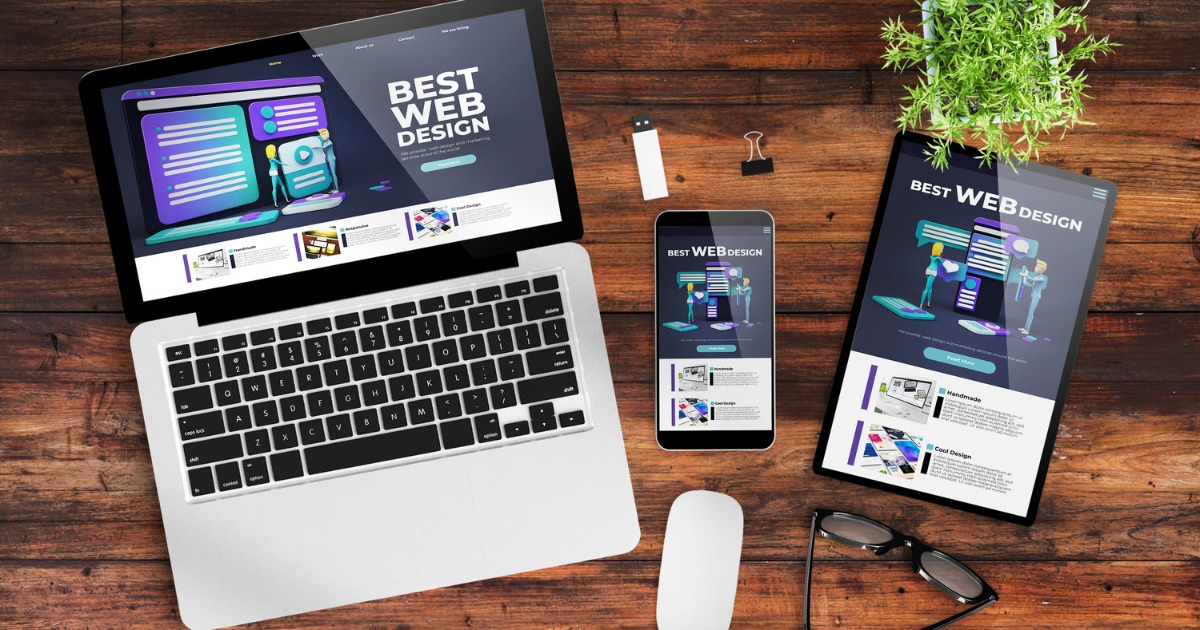
Website Design Strategies That Drive Results
A website is more than an online brochure. For many businesses, it acts as the first point of contact between the brand and potential customers. A well-designed website can attract visitors, communicate value, build trust and encourage people to take action. However, simply having a modern-looking website does not guarantee results.
Successful businesses use strategic design decisions that focus on their audience, business objectives and customer journey. The right Website Design Strategies can help turn website visitors into enquiries, leads and customers while supporting long-term digital growth.
For New Zealand businesses, effective website design should also consider local customers, mobile users, search visibility, accessibility, privacy and changing digital expectations. By combining attractive design with usability, performance and conversion-focused features, businesses can create websites that deliver measurable value.
Why Website Design Strategies Matter for Business Growth
A website represents your business 24 hours a day. Visitors form opinions about your brand quickly, often based on how easily they can find information and navigate the site.
A cluttered layout, slow-loading pages or unclear messaging can cause visitors to leave before contacting you. In contrast, a professional and user-friendly website can encourage visitors to explore your services and take the next step.
Effective Website Design Strategies help businesses:
- Create a strong first impression
- Improve user experience
- Make information easier to find
- Support search engine optimisation
- Increase enquiries and conversions
- Build customer trust
- Strengthen brand credibility
- Improve mobile usability
- Encourage repeat visits
- Support long-term business growth
The key is to design your website around what your customers need rather than simply focusing on visual appearance.
Website Design Strategies Start With Clear Business Goals
Before designing individual pages, define what you want your website to achieve.
Different businesses require different outcomes. An e-commerce business may want to increase online purchases, while a service-based company may focus on phone calls, contact forms or consultation bookings.
Start by identifying your primary website goal. Then establish measurable objectives around that goal.
Define Your Target Audience
Understanding your audience allows you to create relevant content, layouts and calls to action.
Consider:
- Who are your ideal customers?
- What problems do they need to solve?
- What information do they need before making a decision?
- What questions do they frequently ask?
- What prevents them from contacting your business?
- Which devices do they use?
When you understand these factors, you can build a website that speaks directly to your customers.
Create a Clear Customer Journey
A successful website should guide visitors towards a logical next step.
For example, a visitor may arrive through Google, read a service page, review customer information and then contact the business. Your design should make each stage simple.
Use clear navigation, relevant internal links and noticeable calls to action to reduce friction throughout the journey.
Build a Simple and Intuitive Website Structure
One of the most important Website Design Strategies involves creating an intuitive website structure.
Visitors should not have to work hard to find important information. Keep your main navigation straightforward and organise pages into logical categories.
A typical service-based website might include:
- Home
- About
- Services
- Individual service pages
- Blog
- Testimonials or reviews
- Contact
Use descriptive navigation labels instead of confusing terminology. Keep important pages within a few clicks of the homepage wherever practical.
Use Visual Hierarchy
Visual hierarchy tells visitors which information deserves attention first.
Use headings, subheadings, whitespace, buttons and images to organise information. Make your most important message easy to identify.
For example, a homepage should quickly communicate:
- What your business does
- Who you help
- Why customers should choose you
- What action visitors should take next
This approach helps users scan content quickly without feeling overwhelmed.
Prioritise Mobile-First Website Design
Mobile users make up a significant part of online audiences, so businesses should design websites with smaller screens in mind.
Responsive design allows website layouts to adapt to smartphones, tablets and desktop computers. Your content, buttons, images and navigation should remain easy to use regardless of screen size.
Make Mobile Navigation Simple
Avoid complicated menus that require excessive scrolling or tapping. Use clear navigation and ensure important pages remain accessible.
Buttons should also provide enough space for comfortable tapping. Forms should minimise unnecessary fields, particularly on mobile devices.
Test Your Website on Different Devices
Do not assume that a website works perfectly simply because it looks good on your computer.
Test:
- Smartphones
- Tablets
- Laptops
- Desktop monitors
- Different browsers
Check menus, forms, images, buttons and page layouts during testing.
Improve Website Speed and Performance
Website speed directly affects the user experience. Visitors expect pages to load quickly, particularly when browsing on mobile connections.
Slow websites can frustrate users and increase the likelihood that they leave before engaging with your business.
Effective Website Design Strategies should therefore include performance optimisation from the beginning.
You can improve performance by:
- Compressing large images
- Using modern image formats
- Reducing unnecessary plugins
- Minimising excessive scripts
- Using efficient hosting
- Removing unnecessary website elements
- Keeping code and software updated
- Monitoring performance regularly
Performance should not become an afterthought. Build speed into the design and development process.
Use SEO-Friendly Website Design
Beautiful design means little if potential customers cannot find your website.
Search engine optimisation should work alongside website design rather than being added after the website launches.
A search-friendly website uses logical structures, descriptive headings, useful content and clear page relationships.
Create SEO-Friendly Page Structures
Each important page should have a clear purpose and relevant topic.
Use:
- One clear primary heading
- Descriptive subheadings
- Relevant keywords
- Useful supporting content
- Optimised page titles
- Meta descriptions
- Descriptive URLs
- Internal links
- Image alt text where appropriate
Do not force keywords into every sentence. Instead, use them naturally while creating genuinely useful content.
Build Dedicated Service Pages
If your business provides multiple services, create dedicated pages for important services.
A dedicated service page gives customers detailed information while creating another opportunity to target relevant search queries.
For example, a New Zealand digital marketing company could create separate pages for SEO, Google Ads, social media marketing, website design and email marketing.
This structure can make the website easier for users and search engines to understand.
Website Design Strategies Should Focus on Conversion
Getting visitors to your website is only part of the process. You also need to encourage them to take action.
Conversion-focused design makes the next step obvious.
Depending on your business, your primary call to action might be:
- Call now
- Request a quote
- Book a consultation
- Send an enquiry
- Shop now
- Get started
- Download a guide
Place Calls to Action Strategically
Do not place one call-to-action button only at the bottom of a long page.
Use relevant calls to action throughout the customer journey. However, avoid filling every section with competing buttons.
Choose a primary action and make it visually noticeable.
For example, a service page could introduce the service, explain its benefits, provide supporting information and then encourage the visitor to request a quote.
Build Trust Through Professional Website Design
Trust plays a major role in online decision-making.
Customers want to know that a business is legitimate, experienced and capable of delivering what it promises.
Use your website to demonstrate credibility through:
- Customer testimonials
- Reviews
- Case studies
- Certifications
- Industry experience
- Clear contact details
- Business information
- Quality images
- Guarantees where applicable
- Helpful educational content
Keep claims factual and support them with evidence whenever possible.
Make Contact Information Easy to Find
Do not make customers search for your phone number or contact form.
Place important contact information in logical locations such as the header, footer and contact page. On mobile devices, a clickable phone number can make contacting a business significantly easier.
For businesses serving New Zealand customers, clearly communicating your service areas can also help establish relevance and trust.
Make Accessibility Part of Your Website Design Strategies
Accessibility helps more people use your website effectively.
Good accessibility practices include clear text, sufficient contrast, descriptive links, keyboard-friendly navigation, meaningful headings and alternative text for appropriate images.
New Zealand’s digital government guidance continues to place strong emphasis on digital accessibility. The Government Digital Delivery Agency notes that the current Web Accessibility Standard is being replaced by a broader Digital Accessibility Standard, with the final standard expected in early 2027.
Although government standards may apply specifically to government organisations, businesses can also benefit from adopting accessible design principles.
Accessibility is not simply a compliance consideration. It can improve usability for everyone.
Protect Customer Privacy and Website Data
A professional website should also take privacy seriously, particularly when collecting customer information through contact forms, bookings, newsletters or other digital services.
New Zealand’s Privacy Act 2020 establishes principles governing how organisations and businesses collect, store, use and share personal information.
Your website should therefore clearly explain relevant privacy practices and avoid collecting information that you do not genuinely need.
Use secure connections, protect forms and keep website software updated to reduce avoidable security risks.
Use High-Quality Content and Visuals
Design and content work together.
Even an attractive website can perform poorly if the content does not answer customer questions or explain the value of the business.
Use concise paragraphs, descriptive headings and easy-to-scan sections. Replace vague marketing statements with specific benefits.
For example, instead of saying:
“Quality solutions for your business.”
Explain what you actually provide, who you serve and what customers can expect.
Images should support the content rather than simply fill empty spaces. Use relevant, high-quality visuals that reinforce your brand and services.
Strengthen Your Website With Internal Linking
Internal links connect related pages across your website.
They help visitors discover additional information and create clearer relationships between your content.
For example, a blog about SEO could link naturally to your SEO service page. A website design article could link to related website development or digital marketing services.
Use descriptive anchor text so visitors understand what they will find when they click.
Internal linking can also help search engines discover and understand important pages across your website.
Measure Results and Keep Improving
One of the most overlooked Website Design Strategies is continuous improvement.
Launching a website should not mark the end of the process. Your audience, competitors, search behaviour and business objectives can change over time.
Monitor useful performance indicators such as:
- Website traffic
- Organic search visibility
- Engagement
- Conversion rates
- Contact form submissions
- Phone enquiries
- Sales
- Popular landing pages
- Exit and bounce behaviour
- Page performance
Use these insights to identify areas that need improvement.
If visitors frequently leave a particular service page without taking action, review its messaging, layout, speed and calls to action.
If a page receives substantial organic traffic but generates few enquiries, consider whether the content and conversion path match visitor intent.
Website Design Strategies for New Zealand Businesses
New Zealand businesses operate in a competitive digital environment where customers often compare several companies before making a decision.
A strong website should communicate local relevance without relying on excessive location keywords.
Mention the regions you genuinely serve and provide useful location-specific information where appropriate.
Businesses can also refer to relevant New Zealand digital guidance when considering accessibility and online usability. The NZ Government’s Centralised Web Accessibility Checker, for example, evaluates publicly facing government websites for potential accessibility issues based on WCAG 2.2-related checks.
For businesses investing in a new website, these principles provide useful inspiration: make information easy to access, design for different users, test the experience and improve issues continuously.
Common Website Design Mistakes to Avoid
Even good businesses can undermine their online performance through simple design mistakes.
Avoid:
Too Much Information Above the Fold
Do not try to explain everything on the first screen. Give visitors a clear introduction and encourage them to explore further.
Confusing Navigation
Too many menu options can make websites difficult to use. Keep navigation focused on the pages customers actually need.
Weak Calls to Action
If customers cannot understand what to do next, they may leave. Make your primary action clear.
Poor Mobile Experience
A desktop-friendly website does not automatically provide a good mobile experience. Test mobile layouts carefully.
Stock-Heavy Visuals
Generic images can make a business appear less authentic. Where possible, use relevant brand photography and original visuals.
Ignoring Website Maintenance
Outdated software, broken links, old content and technical problems can gradually reduce website quality. Schedule regular reviews and maintenance.
A successful website should be easy to navigate, mobile-friendly, secure and focused on customer needs. For more practical guidance, see the New Zealand Government’s Business.govt.nz guide to building a website or online store.
Conclusion
The most effective Website Design Strategies combine visual appeal with usability, performance, accessibility, SEO and conversion-focused thinking.
A successful website should make it easy for customers to understand your business, find the information they need and take action. It should work across devices, load efficiently, support search visibility and create confidence in your brand.
For New Zealand businesses, building a website with these principles in mind can create a stronger foundation for digital marketing and long-term growth.
Remember that website design is not a one-time task. Monitor performance, listen to customers, analyse data and make improvements as your business evolves.
When strategy drives design, your website becomes more than a digital presence—it becomes a valuable business growth tool.
How 29i Digital Can Help With Website Design
Creating a results-focused website requires more than selecting an attractive template. You need strategy, content, user experience, technical performance and search visibility to work together.
29i Digital can help businesses build a stronger digital presence through strategic website design and digital marketing solutions.
Whether you are launching a new website or improving an existing one, a strategic approach can help align your website with your business goals.
For more information, contact us at 0800 290 029.